Timer
CS SK EN
Book a demo
Software for LED scoreboards at football grounds

Match day
as a show.

From a single PC, PROSVIT runs the whole match choreography on your LED board: welcome, line-ups, goal with video and scorer card, partners, half-time countdown and thank-you.

Time and score always keep running, and the board returns to them by itself after every insert. The operator just taps the green button.

  • Windows
  • No installation
  • No internet needed
  • No admin rights
  • Welcome
  • Home line-up
  • 1st half – time and score
  • Goal – video
  • Scorer card
  • Yellow card
  • Club partners
  • Half-time countdown
  • Substitution
  • Thank-you
Play demo
PROSVIT on a laptop · picture on the LED board via HDMI
How it works

The club sets it up once. Then just a tap.

All you need is a Windows PC with the board connected as a second monitor. No installation, no account, no internet.

  1. Copy and run

    Put the PROSVIT folder on the PC next to the board and start it. PROSVIT finds the board monitor by itself.

  2. The club prepares the choreography

    For every match step you decide what runs on the board: welcome, partners, music, walk-out, goal video, half-time, thank-you.

  3. The operator just taps

    One green button always knows what comes next; after 45:00 it offers “Start half-time”. A goal is one tap – score at once, then video and scorer card.

Features

The whole show from one console.

Screenshots from the real program. Sample club, fictional player names.

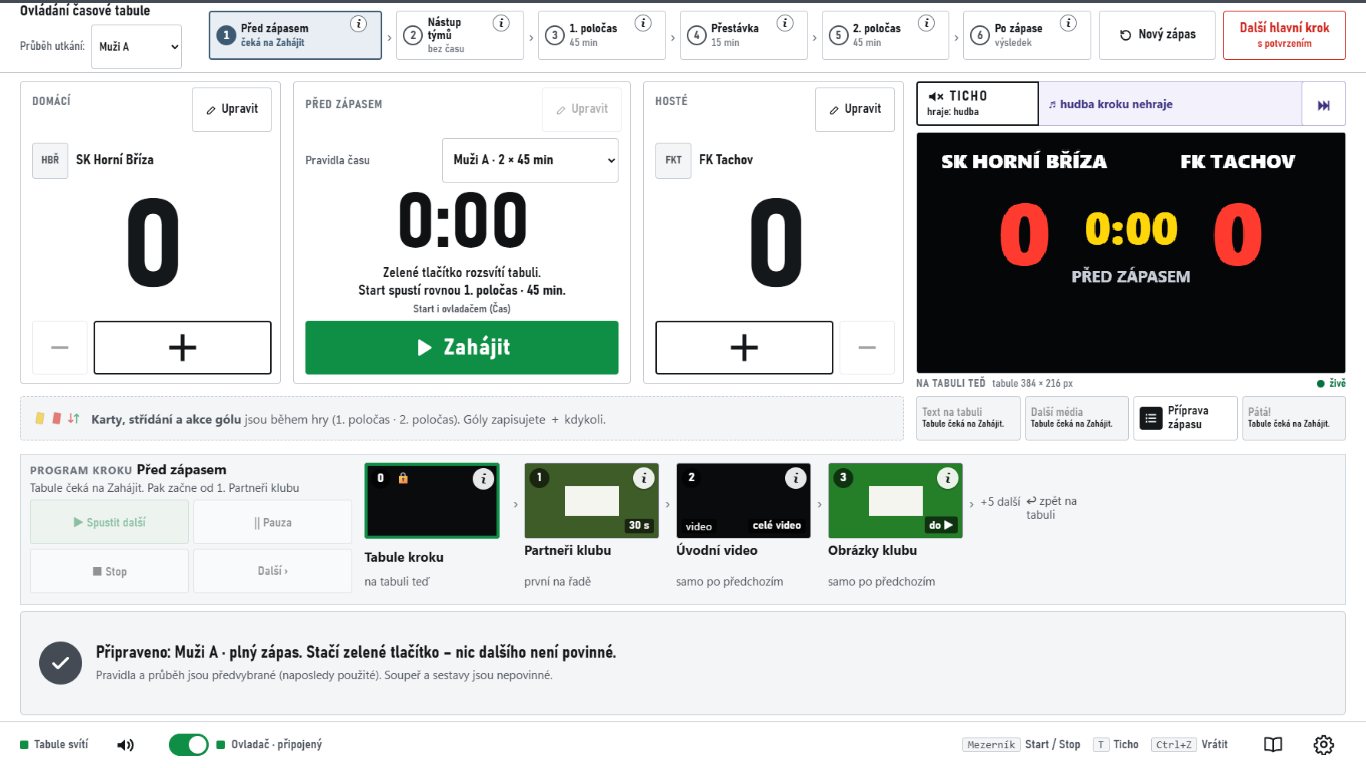
Operator console before the match

Operator console: one green button.

Match steps at the top, Home · Time · Away in the middle, a 1 : 1 board preview on the right – you always see what is lit outside. Buttons never move. A goal is one tap, a mistake is undone with “−”.

With the optional wireless remote (4 buttons) you can run the match from the touchline.

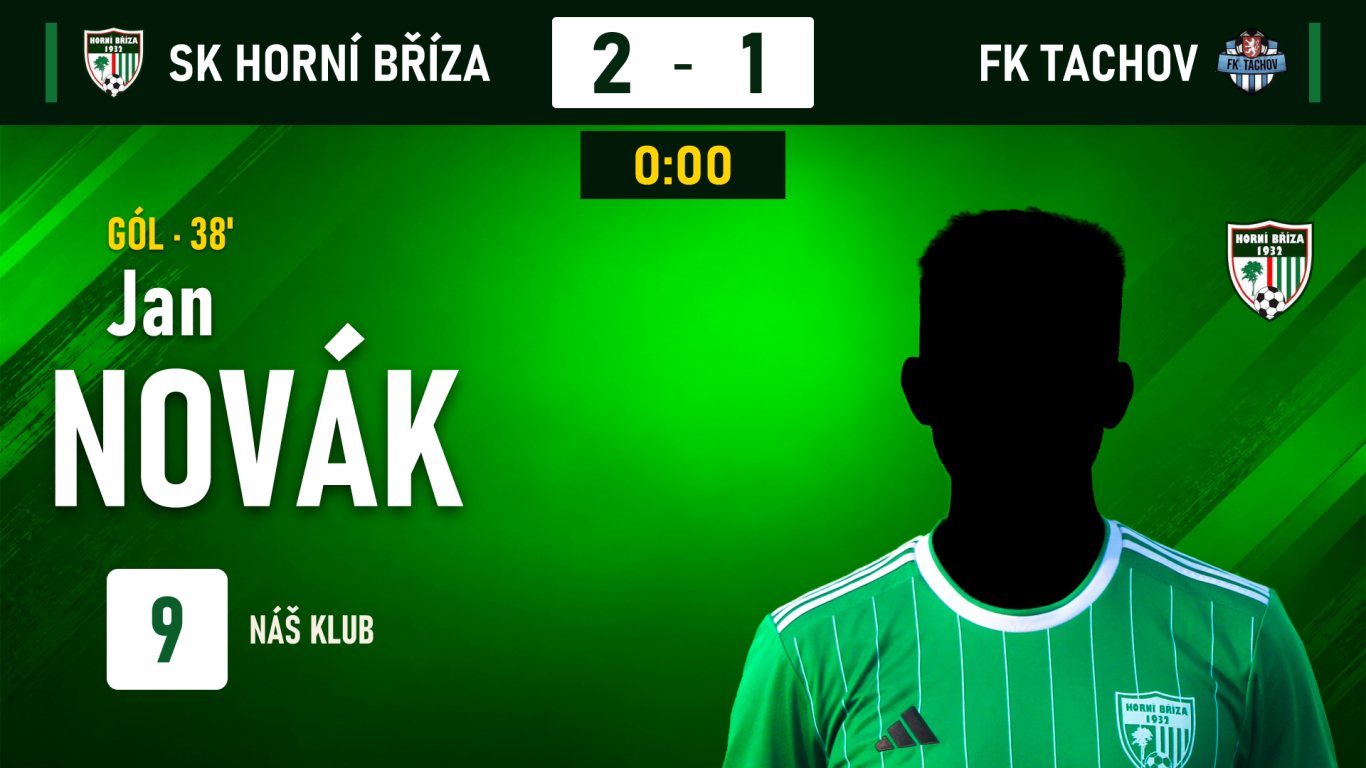
Scoreboard: scorer card

Goal with scorer card

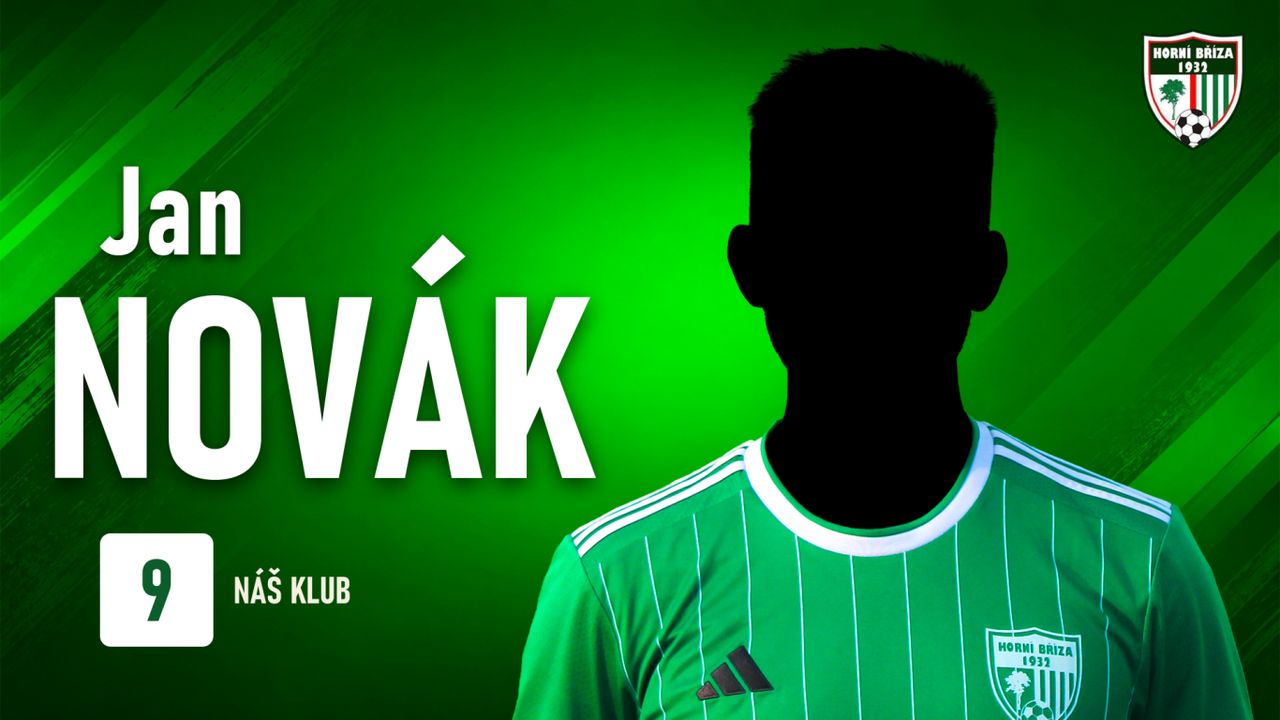
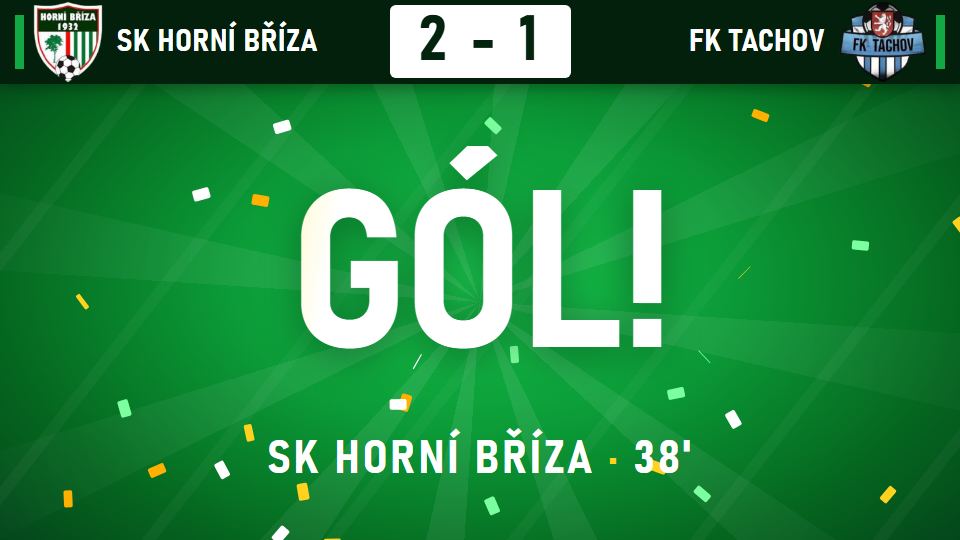
Score at once, then the goal video and the player card from the club register. A player without a photo gets a ready-made card with a silhouette. Then the board returns by itself.

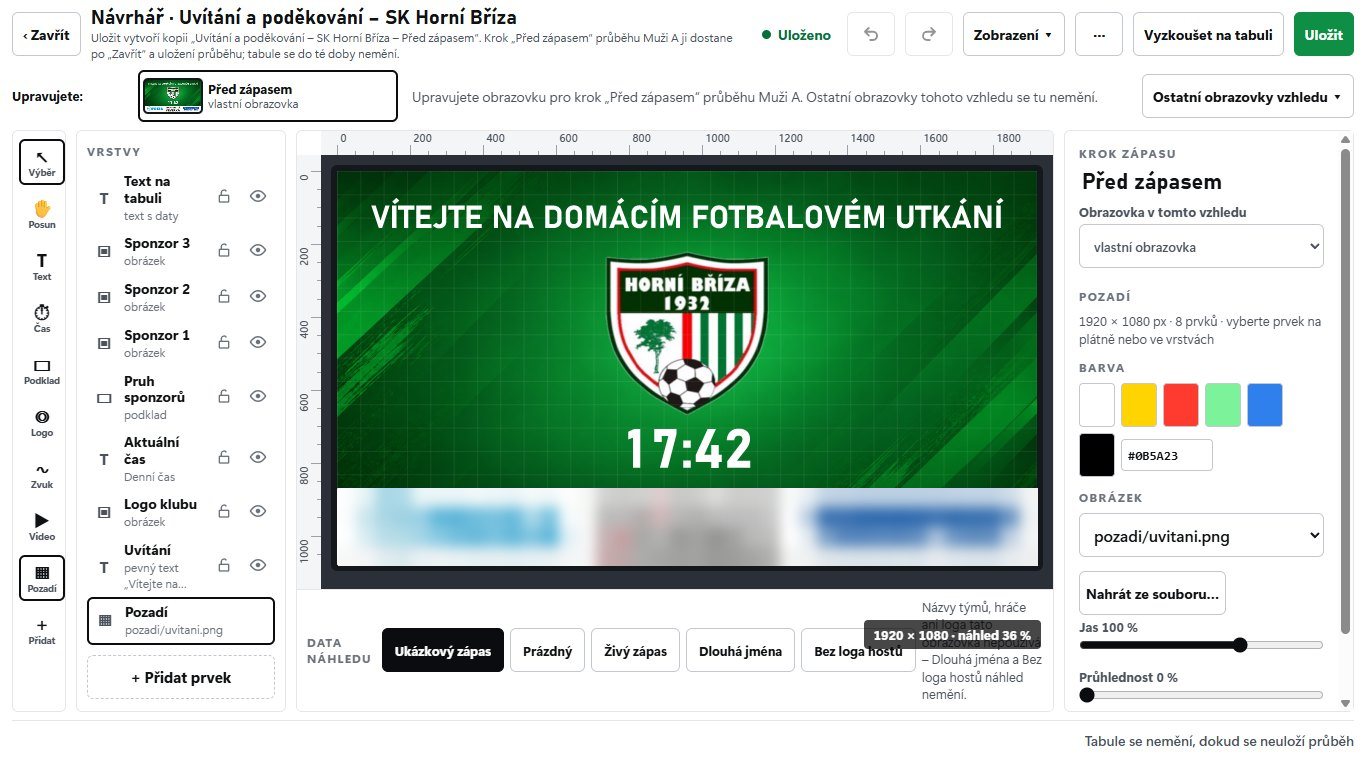
Scoreboard designer

Scoreboard designer

Layers, rulers and element properties like in a graphics program. What you see is what lights up on the board. Save a whole look, backgrounds and videos included, as one file.

Screenshots are from the Czech version of the program. More app languages are coming soon.

Pricing

A price that fits your club.

From a timer for youth teams to the whole first-team match day. Tell us how many teams you have and what board – we will send a tailored offer.

Timer

For youth teams and simple matches.

Monthly

we send a tailored offer

  • Time and score on an LED board or a large screen
  • Simple match flow: welcome · play · half-time countdown · thank-you
  • Recovery after a power cut and Fix match state
  • Runs without internet
Get an offer
Recommended

Club licence

For the first team and the whole match day.

Tailored

we send an offer for your club

  • Everything in Timer
  • For 2 club computers – pitch-side and a laptop
  • Full match flows: step programmes, music, partners
  • Goal with video and scorer card, stadium music
  • Wireless remote – run the whole match from the touchline
  • IS FAČR and TVCOM (in trial)
  • Board designer and club package
Get an offer

Your club package

The board in your club colours from the first match.

By arrangement

depending on what the club wants

  • Board look in your club colours
  • Logos, music, walk-out song and goal videos
  • Club partners on the board
  • All in one file – loaded with one click
Write to us

Federation & academy

For several pitches, tournaments and federations.

By arrangement

by number of pitches

  • Everything in Club licence
  • Several pitches and PCs
  • Shared board looks in one file for every pitch
  • Modules for other federations (coming soon)
Write to us

Add-ons

Wireless remote4 buttons (Home, Away, Time, FUNCTION), USB receiver. Run the whole match from the touchline. Works with the club licence.
On requestoffered with the licence

We do not list prices – every club is different. Tell us how many teams you have and what board, and we will get back to you.

FAQ

What clubs ask us.

Do I need internet?

No. Board, time, score, music and videos all run offline. Internet is only needed for TVCOM and importing from IS FAČR.

What PC does PROSVIT run on?

An ordinary Windows PC. Nothing is installed and no admin rights are needed – just copy the folder and run it.

What scoreboard do I need?

An LED scoreboard or a large screen connected to the PC as a second monitor (e.g. via HDMI). PROSVIT draws anything from small 384 × 192 LED boards up to Full HD.

Do I need a remote?

No, the whole match can be run from the desk on the PC. The wireless remote has four buttons (Home, Away, Time, FUNCTION) and a USB receiver; tested with the SU 744 remote. When the receiver is connected, the remote is on automatically. It works with the club licence – we offer it together with it.

What if the power goes off or the PC restarts?

The match state is saved continuously. After start-up PROSVIT asks one question – “Continue match · New match” – and the clock runs on, including the outage. An absurdly long outage is never fast-forwarded silently – it asks.

Does PROSVIT work without TVCOM and IS FAČR?

Yes, exactly the same. The connections are separate modules that only add convenience; the board and timer do not depend on them. TVCOM and IS FAČR (Czech services) are still in trial at the first matches.

Is the program available in other languages?

Today the program is in Czech. Slovak, English and German are coming soon – the app texts are already being prepared for it. Modules for other federations are in preparation.

What about sports other than football?

Football today. Futsal, floorball and ice hockey are coming soon.

How can I try it?

Write to us using the form. We'll arrange a demo on your PC or right at your scoreboard.

On how many computers can a club use PROSVIT?

The club licence covers 2 computers – for example the pitch-side PC and a laptop for preparation. Once a month a licensed computer briefly checks in with prosvit.cz, sending only the licence number and an anonymous computer fingerprint, never the computer name. Without internet PROSVIT keeps running and nothing gets locked.

The pitch-side computer has no internet. How do I send logs to support?

PROSVIT saves the logs to a folder (Settings › Support › Open folder). Copy the file to a USB stick or your phone and upload it at prosvit.cz/podpora. You will get a reference number for your support call.


Contact

We'll show you at your scoreboard.

Tell us how many teams you have and what scoreboard. We'll get back to you to arrange a demo and a trial.

The form is protected without cookies and without reCAPTCHA: your browser briefly solves a small anti-bot task when sending.